Benefits for you as a professional: It helps you stay on top of deadlines and commitments. You can optimise your time with regular reminders; it demonstrates a commitment to your clients and to their needs. It also helps minimise the risk of missed tasks and deadlines.
Benefits for your clients: Reminders help your clients stay organised and manage their time effectively. It eliminates the worry of forgetting or missing appointments. It ensures your clients are always informed about their needs and deadlines.
How to set up a reminder:
Go to the Settings Tab
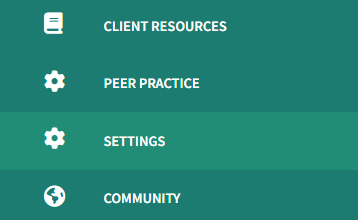
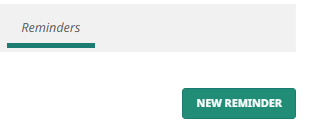
Then Reminders tab

Click the New Reminder button
Enter a Reminder Name
Select who you want to send the reminder to.
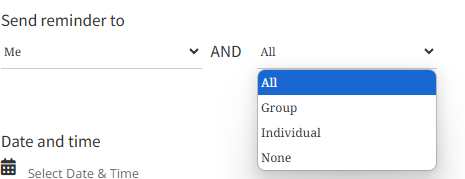
First, select either to me (if you want to send a reminder to yourself) or None.
Then select if you want to send the reminder to all your clients, a Group, an Individual client, or None (no clients).
If you select Group, search for the group which you want to send the reminder to by entering the first 3 characters in the search bar

If you select Individual, search for the individual client you would like to send the reminder to by entering the first 3 characters in the search bar

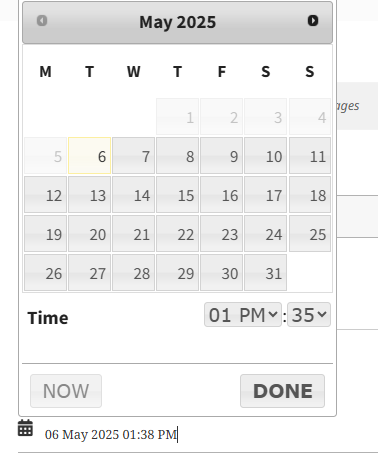
Select the Date and time you would like this reminder to be sent. Press DONE.
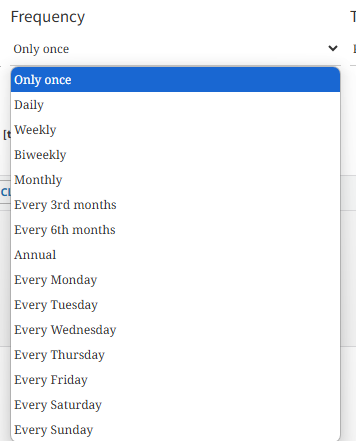
Select the Frequency of this reminder (e.g. Only once, Daily, Weekly, etc)
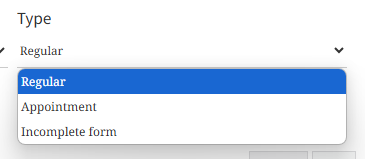
Select the reminder Type (e.g. Regular, Appointment, Incomplete form)
Next, complete the Details of the reminder (e.g. I am looking forward to our session this afternoon at 3 pm.) Be sure to click the tab> ‘Visual’ to see the edit options

Finally, click the Save Reminder button, and you will see your reminders with their status.

Your client/s will receive the notification/s via their email. In case your client/s or you do not receive notifications, e.g. on incomplete forms, you can toggle off and on the toggle button again for the specific form you sent to your client. Then they will receive a notification about completing the form.
Note: If you would like to edit your reminder, just click on the edit button on your reminder
To start with a new reminder, please visit this link: https://clinictoolkit.com/settings/reminders/
Have questions? LIVE chat with us or get in touch with the team. We’re here to help!